
Booking an appointment is simple and designed to help everyone looking for an appointment.
Since the form isn’t entirely self-explanatory we’ve created a step-by-step guide:
1- Select service:
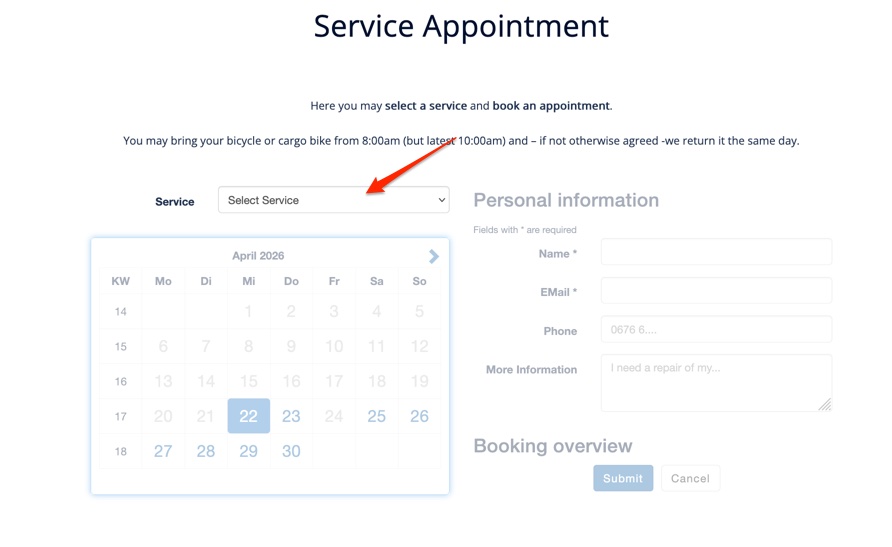
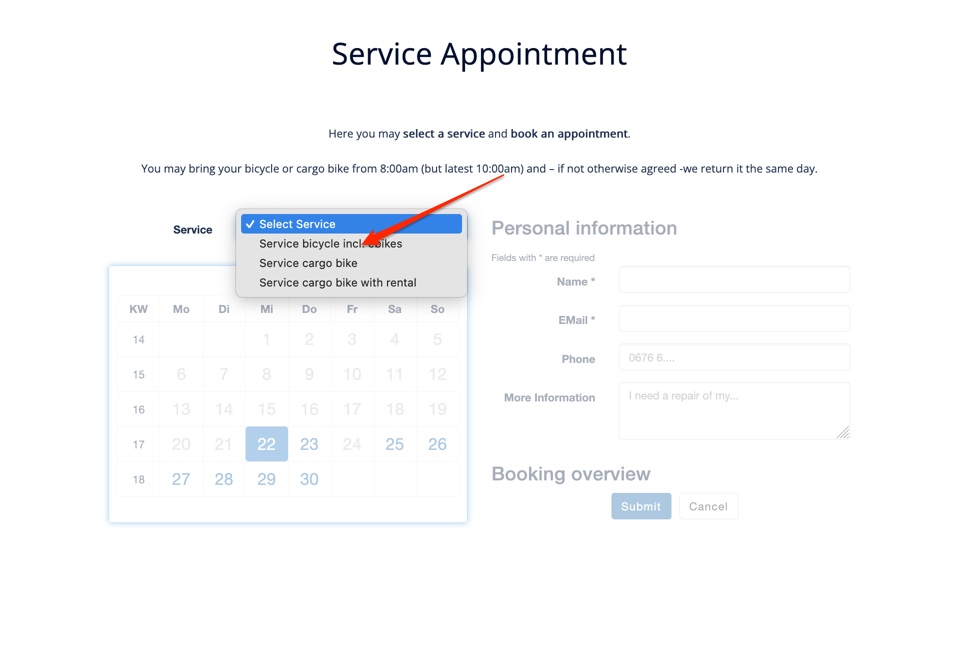
Currently, the following options are available:
-
- Bicycle / eBike or
- Cargo bike
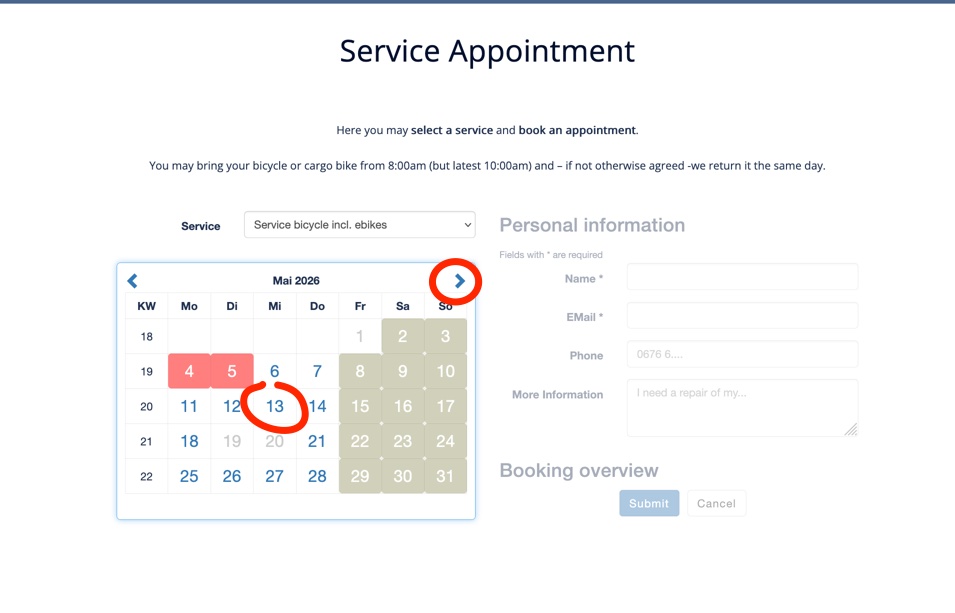
2- Then select the next available service slot:
When the time field turns green, the appointment slot is selected:
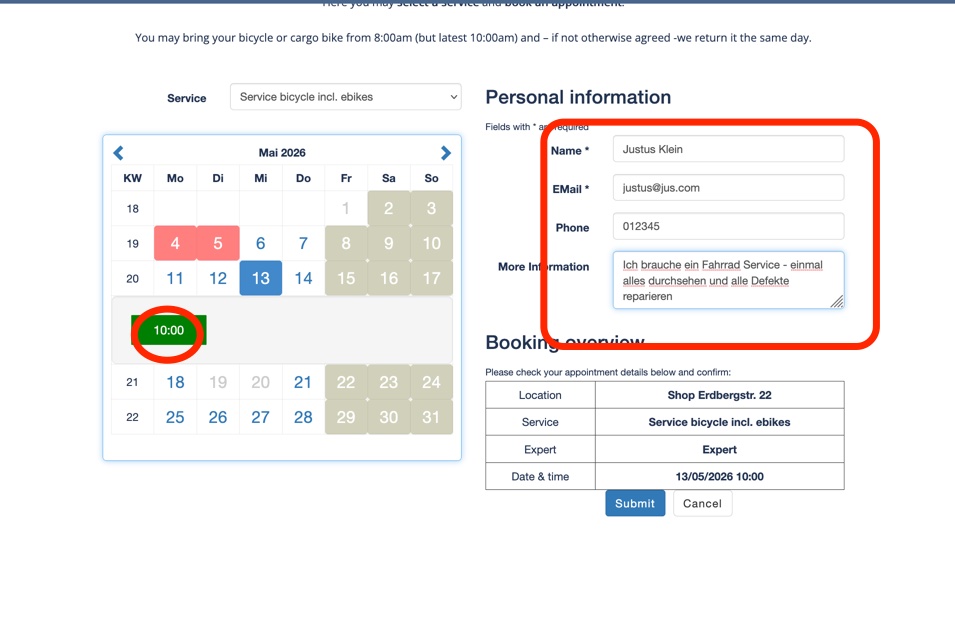
3- Fill in your information and submit Please enter your name, email address, and/or phone number.
The information field helps us get more precise details about your service request.
If we agree on something, please enter it here (e.g., As agreed: Bottom bracket replacement).
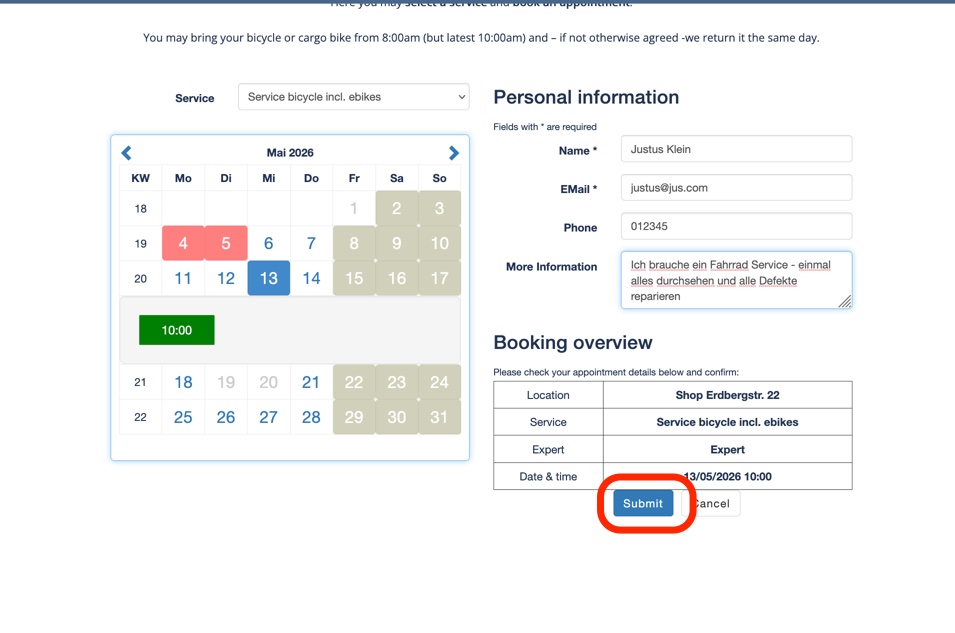
4- Then click the “Book” button. It may take a few seconds; after that, our starter-page will load in your browser. …
If you have entered your email address correctly, you will immediately receive an email with all the details.